

On this page
Unfamiliar word? Select a dotted-underlined term for its meaning.
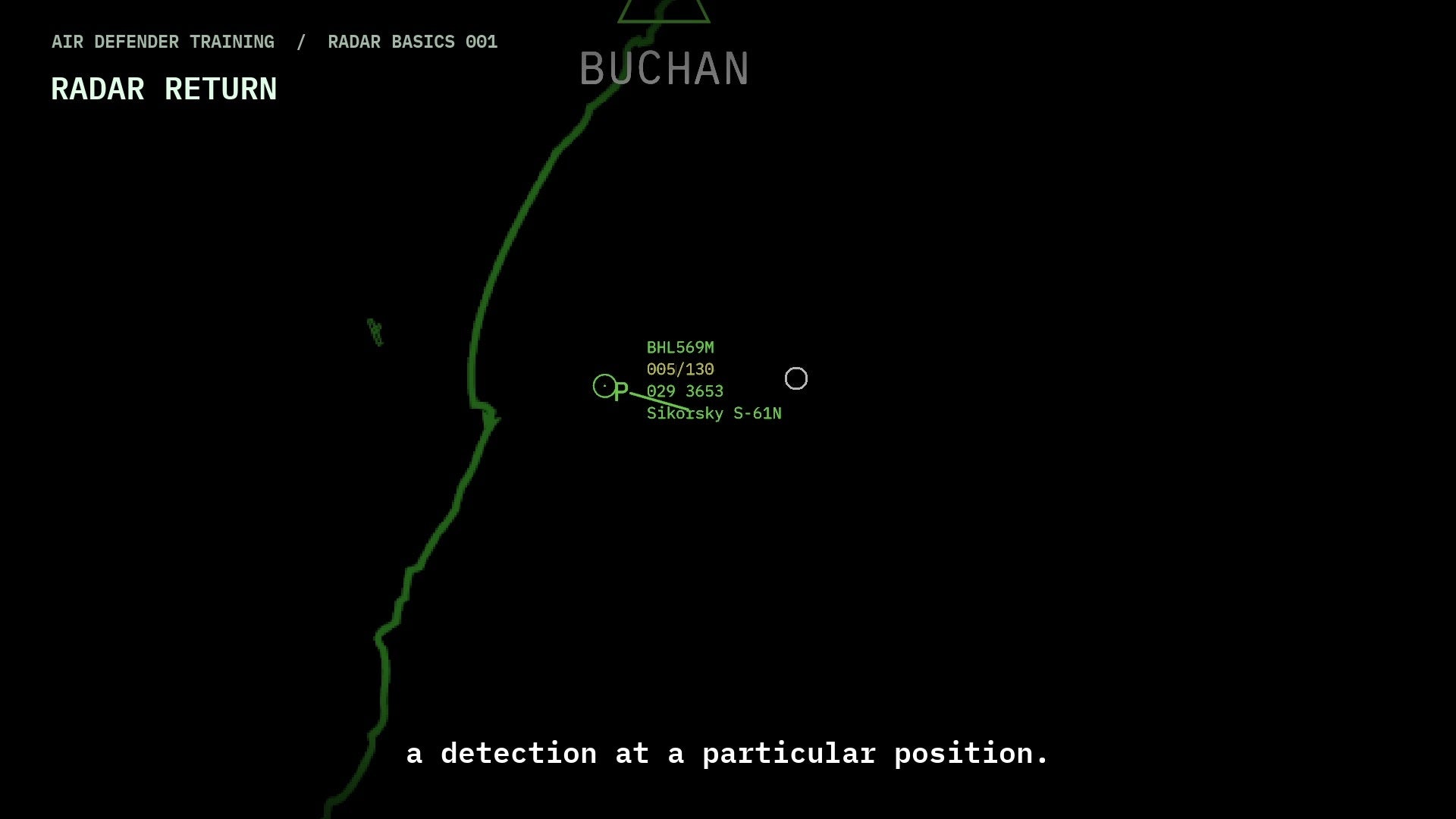
Read a block one line at a time
| Example | Meaning |
|---|---|
| 350/425 | Height 35,000 feet; speed 425 knots. Height is displayed in hundreds of feet. |
| 007 3701 | Track serial 007; Mode 3/A squawk 3701. They are separate identifiers. |
| F78% | Displayed aircraft fuel percentage, where available. |
| AF on a tanker | Fuel available for offload. This is separate from the tanker’s own fuel. |
Open the fuller picture
- Left-click the contact. Read Flight Info in the panel that opens; for a controlled aircraft, change from AC Control to Flight Info if necessary.
- Compare the block with the flight details. Use Aircraft Data for the additional aircraft information.
- If neighbouring labels overlap, open ASMA if needed (default M) and click A/C once to clear any single-sortie restriction. If ATC is selected, leaving it ends the current controller conversation. Press Delete and read the new reply. If it says TRACK DATA SOLO OFF, press Delete again to turn solo mode on. TRACK DATA SOLO ON keeps data for the selected contact and your hooked group; it may leave several blocks visible. To leave solo mode, press Delete and check for TRACK DATA SOLO OFF. Other display settings still apply; see the display controls.
Missing information is not zero
A new contact may not have a complete block. C changes minimal/full detail and X toggles global datablocks, so a hidden field does not establish that the system has no data. Check the display settings before drawing a conclusion.
For an optional key that changes one contact’s data without changing its hook, follow the individual data-overlay steps. Global datablocks can mask the change. Individual data-overlay steps →
Fuel and weapons are separate figures
| Example | Read it as |
|---|---|
| Tornado F3 · G180/R4/H2 | In the v0.8.16.0 game, this F3 example means 180 cannon rounds, 4 Skyflash missiles in R and 2 Sidewinder missiles in H. These are remaining quantities, not shots fired. |
| F70% AF40% | Tanker own fuel 70%; fuel available to give away 40%. Do not add the percentages: they describe separate fuel stores. |
R is a shared game counter: the Sea Harrier FA2 uses it for AMRAAM. A newly armed Lightning F6 uses H for its heat-seeking missiles, but a Lightning loaded from an older save can still show them in R. The letter R alone therefore does not prove radar guidance. Check the selected aircraft’s type in Aircraft Data and read the figures as game weapon counts, not a statement of every real-world aircraft’s equipment.
Practise reading one contact
- Choose a contact and open its full data block. Read height and speed separately: 350/425 means 35,000 feet and 425 knots.
- Read the track serial and four-digit squawk as different identifiers. Neither is a fuel figure.
- For a player-controlled fighter with the full data block visible, look for F and G/R/H. For a player-controlled tanker, compare F with AF. These extra fields depend on the contact’s identity and its linked aircraft; they are not supplied for every fighter or tanker on the scope. If a field is absent, check display settings and the aircraft’s data panel rather than treating absence as zero.
Minimal view changes the meaning of the slash
In minimal view, 3701/150 means squawk 3701 and height 15,000 feet. It is not the full block’s height/speed pair. If no squawk is present, the minimal block can show only 150, the height in hundreds of feet. Hooked contacts can retain fuller information; check your display mode.
Yellow is a comparison cue
A yellow height/speed line can flag a missing required flight plan, or altitude or speed above the resolved aircraft type’s ceiling or maximum speed. Read the current figures in Flight Info and compare them with CEILING and MAX SPD when those boxes are shown. Without a flight plan, look for the type references in Aircraft Data instead; missing reference data does not mean a zero limit. Check any filed flight plan separately: this warning does not compare the aircraft with each planned waypoint. Yellow alone does not assign Hostile identity or authorise an attack.
When the radio name differs from the track label
BAW436 can appear as SPEEDBIRD 436 under RT Callsign. They are two forms of the same flight name. Use the civilian callsign examples and checks to distinguish the flight name, registration, Mode S address and track serial.
Sources & further reading
Further reading on the real-world concepts discussed here. These sources do not document Air Defender’s controls or behaviour.